Save the Date Template: A Stylish and Easy Solution for Your Wedding Announcements
Welcome to the world of elegant and affordable wedding save the date templates. Whether you're planning a grand celebration or an intimate gathering, these templates are designed to make your announcement process smooth and stylish. This article will guide you through the features, benefits, and practical use of our Floral Wedding Save The Date Template, available in both InDesign and MS Word formats.
Understanding Save the Date Templates
A save the date template is a pre-designed document that helps you create and send out early announcements for your special day. These templates are essential for giving your guests a heads-up about your upcoming wedding, allowing them to plan their schedules accordingly.
The Significance of Save the Date Cards
- Early Notice: Provides ample time for guests to make necessary arrangements.
- Personal Touch: Sets the tone and theme of your wedding, making it more memorable.
- Practicality: Helps in managing guest lists and RSVPs efficiently.
Features of Our Floral Wedding Save The Date Template
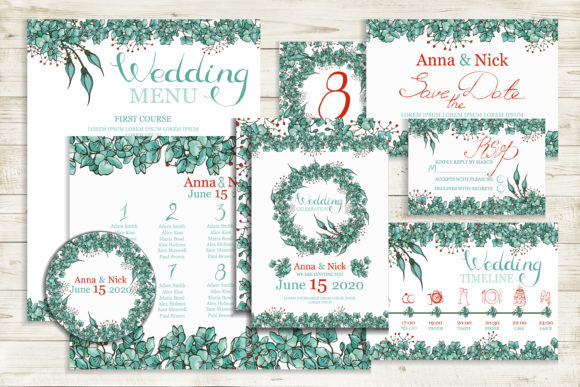
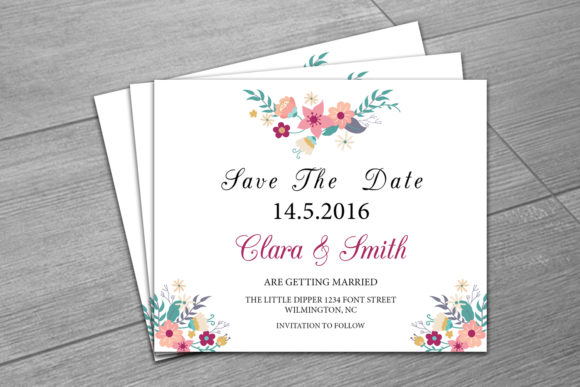
Our Floral Wedding Save The Date Template is not just a piece of paper; it's a beautifully crafted design that captures the essence of your special day. Here’s what makes it stand out:
Template Specifications
- Size: 5.75x4.75 inches, a perfect size for standard envelopes.
- File Formats: Available in InDesign CS4, InDesign CS6 (indd), InDesign CS4 (idml), and MS Word 2007-2013 (DOCX).
- Editable Files: Easily customizable with Microsoft Word or Adobe InDesign.
Design Elements
- Elegant Floral Design: A timeless and romantic floral pattern that adds a touch of sophistication.
- Customizable Text: Change the text to include your names, date, and any other details with ease.
- Font Flexibility: Download links for the fonts used are included in the help file, allowing you to change the font style if desired.
How to Use the Save the Date Template
Using our Floral Wedding Save The Date Template is straightforward and user-friendly. Follow these simple steps to create your perfect save the date card:
- Download the Template: Purchase and download the editable file to your computer.
- Open the File: Open the file in either Microsoft Word or Adobe InDesign, depending on your preference and software availability.
- Edit the Details: Replace the placeholder text with your personal information, such as names, date, and location.
- Customize Further: If you wish to change the font, simply select the text with the text tool and replace it with your chosen font.
- Print and Send: Print the final design on high-quality paper and send them out to your guests.
Why Choose Our Save the Date Template?
Our Floral Wedding Save The Date Template offers several advantages that make it a top choice for couples:
- Affordable: High-quality design at a budget-friendly price.
- User-Friendly: Easy to edit and customize, even for those with minimal design experience.
- Instant Download: No waiting time; start customizing your template immediately after purchase.
- Professional Look: A polished and professional appearance that sets the right tone for your wedding.
Contact and Support
If you have any questions or need assistance, feel free to contact us. We are here to help you every step of the way. For custom designs or further requests, please reach out to our support team.
We hope you enjoy using our Floral Wedding Save The Date Template and that it makes your wedding planning journey a little bit easier. Don’t forget to leave a review and recommend our artwork to others!
Conclusion
With our Floral Wedding Save The Date Template, you can create stunning and personalized save the date cards that set the stage for your special day. Whether you choose to use InDesign or MS Word, the process is simple and the results are impressive. Start your wedding planning on the right foot with this elegant and affordable solution.